01
Spin
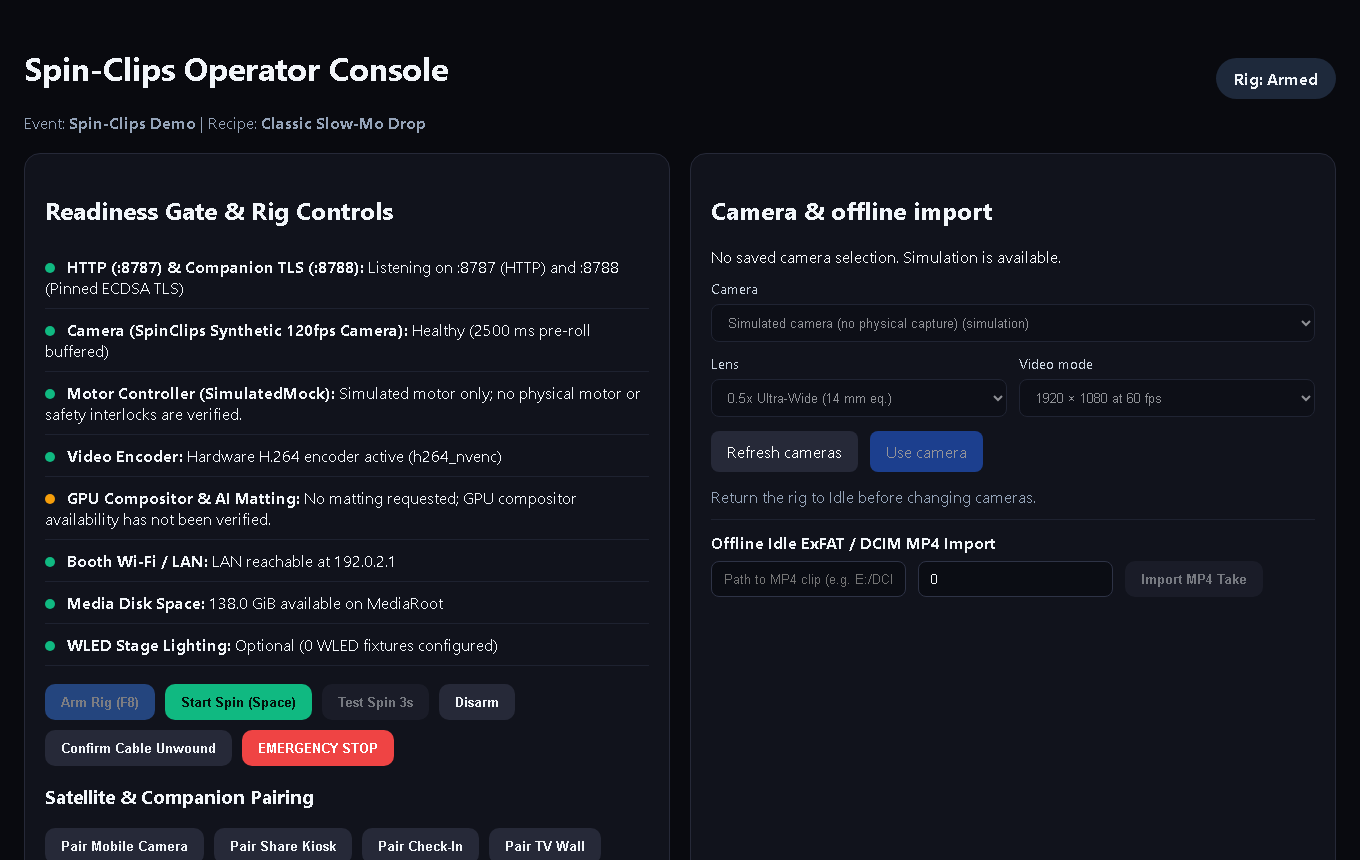
Check-in hands the guest a token. The operator arms the rig from the console, and the camera records while the arm goes round.
360 booth software in development
Spin. Render. Scan. No internet needed.
Spin-Clips is being built for local booth operation: capture, slow-motion rendering and guest sharing over the booth network. Physical capture and controller integration are still in development.
How it works
Camera capture and physical controller integration are still being completed and verified.
Screens show the app with a simulated rig and synthetic test video; QR codes are examples.
One computer serves four booth screens: the Operator Console, Guest Check-In, the Share Kiosk and the TV Wall.
Check-in hands the guest a token. The operator arms the rig from the console, and the camera records while the arm goes round.
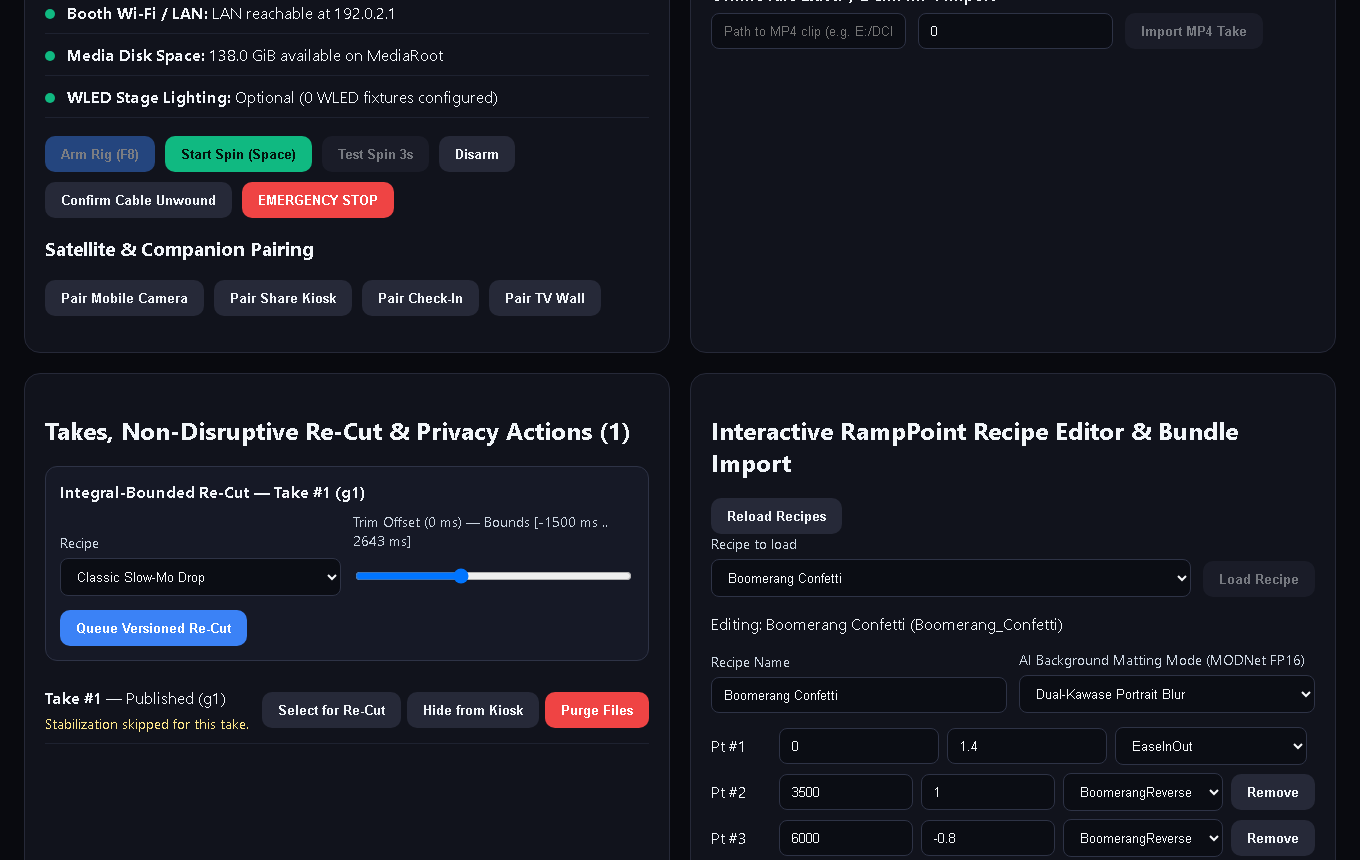
The base station applies the recipe: the speed ramp lands the slow-motion on a beat, the background is matted, the LUT and overlay go on, the music is mixed.
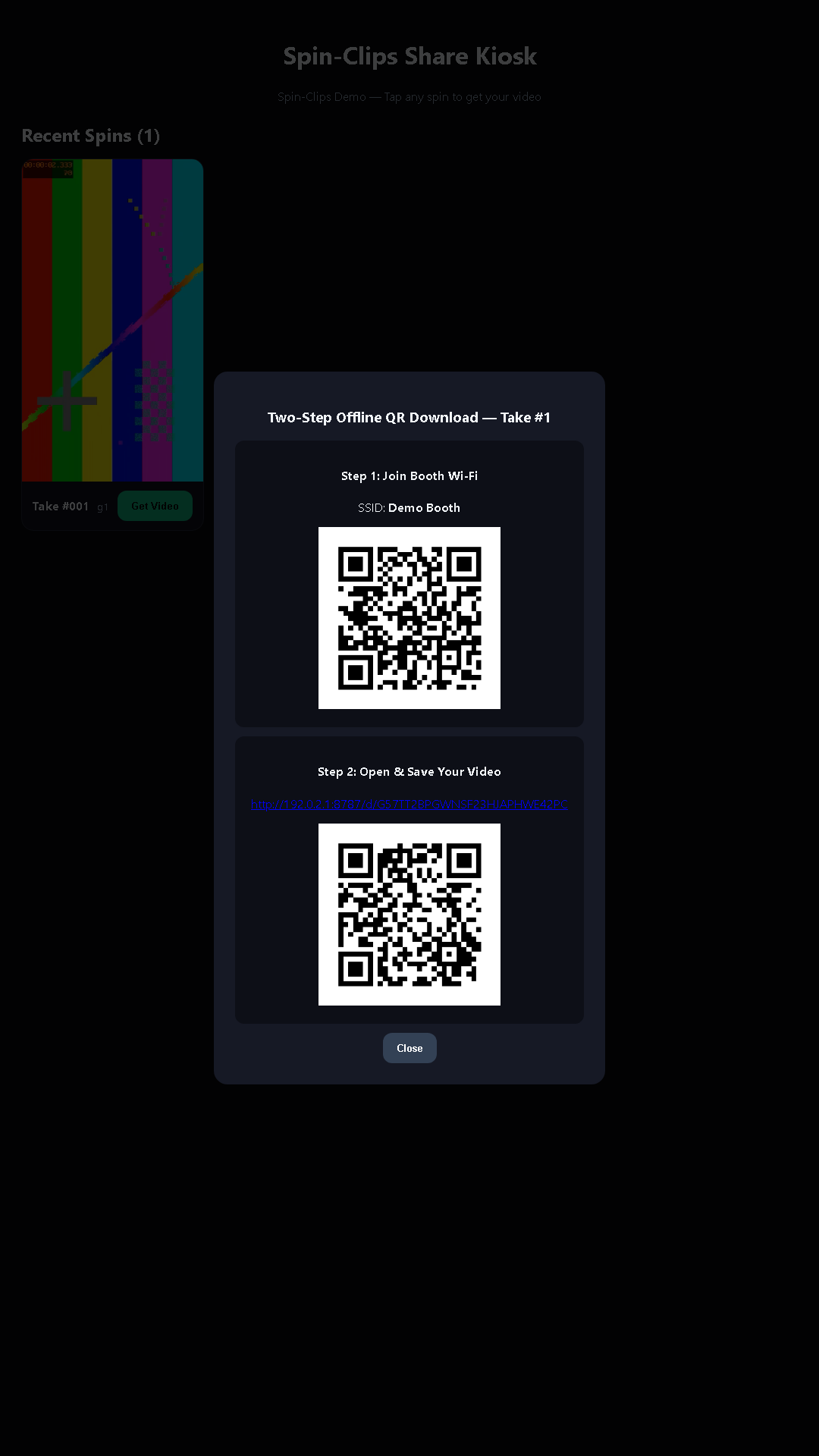
On the kiosk the guest scans one code to join the booth's Wi-Fi and a second to save the clip. During the privacy hold they can delete it instead.
Ramp Lab
Explore the product's three starter recipes in this interactive preview. Drag a knob to move a point in time or speed and watch the figure slow, stop or reverse. The preview uses the shared interface calculation; its match to rendered video is still being verified.
1.50x speed · 0.0 s out · 0.00 s source
Slow-mo from 1.9 s to 8.5 s, on beats 5 to 18.
The real render also does the background, colour, overlay and lighting; this shows the speed ramp.
Works with your rig
Phone, camera and spinner integrations are in development and require real-device qualification. See each guide for current status.
Booth screens
One computer serves four booth screens: the Operator Console, Guest Check-In, the Share Kiosk and the TV Wall. Each one is a page on the booth's local network, so any tablet or TV browser can show it.
Actual app screens shown with a simulated rig, sample guest and synthetic test video. QR codes and network addresses are examples. Select an image to view it full size.
You, at the laptop
Readiness gate, arm and E-STOP, camera switcher, the takes list with re-cut and privacy actions, the recipe editor.
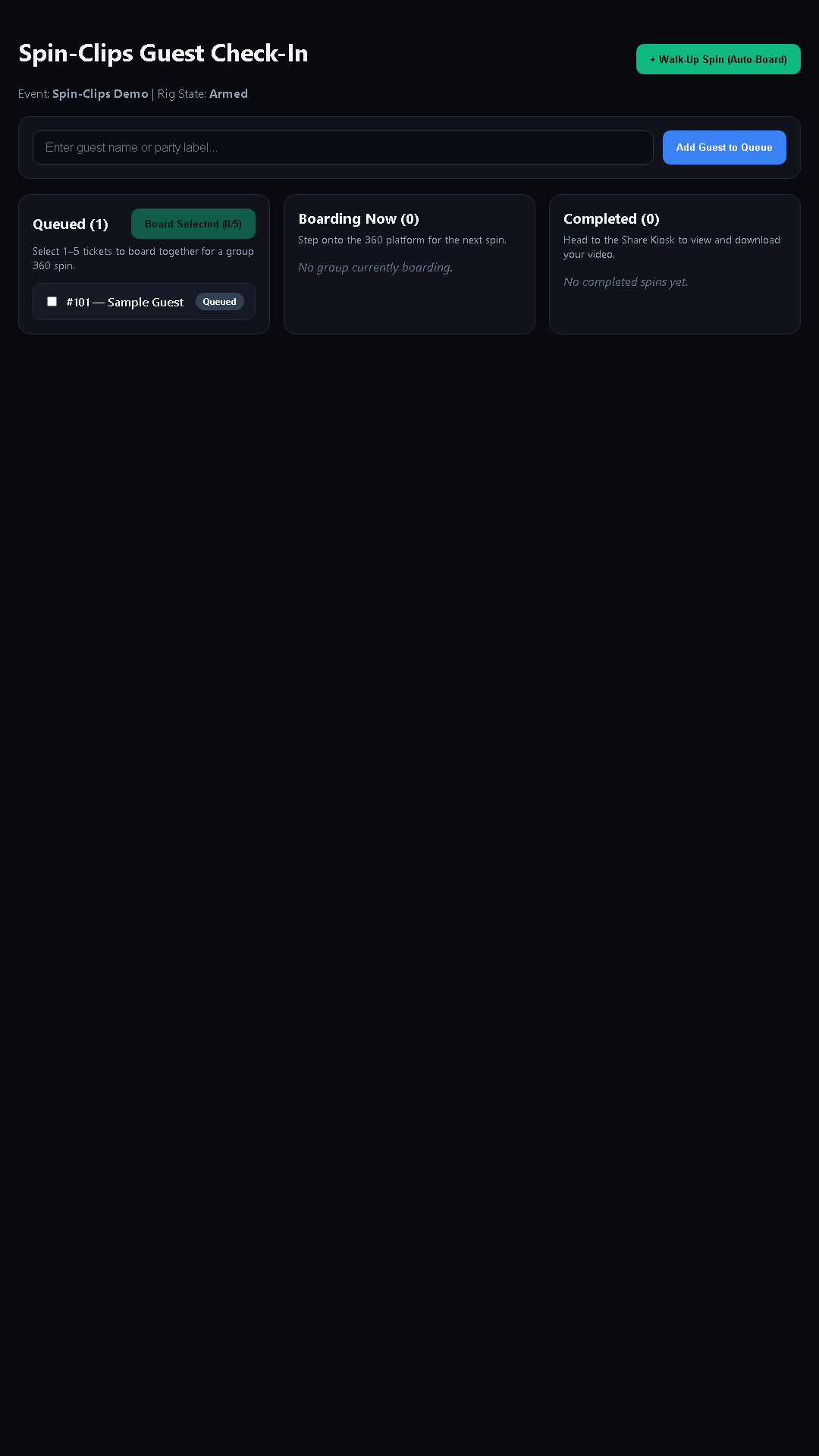
A tablet at the line
Guests enter their group and get a token; the operator boards the next group and takes walk-ups.
A screen by the exit
Recent spins as a grid; tap one for the two-step QR download, or delete it during the privacy hold.
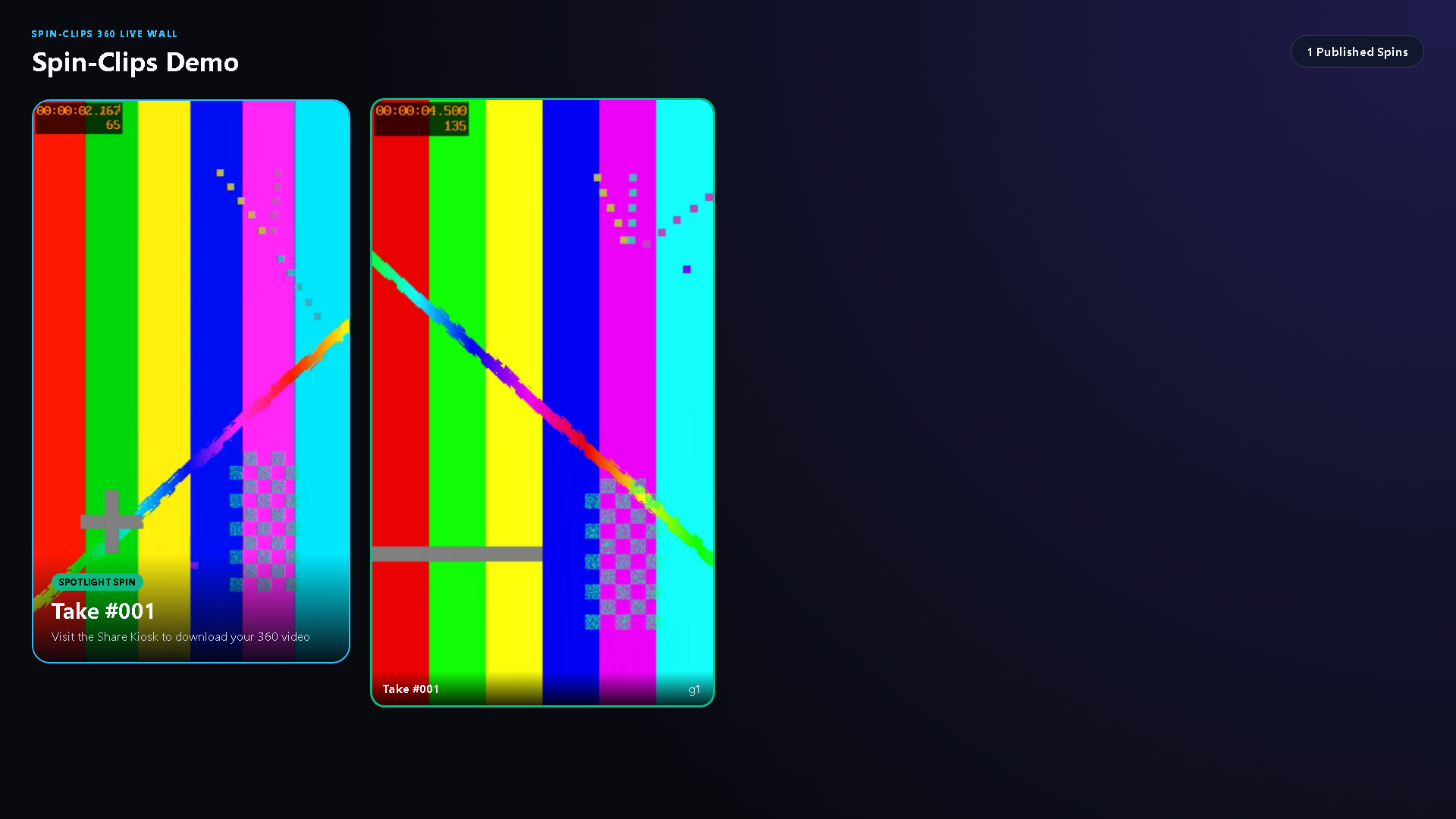
The big screen
Published clips rotate in the spotlight.
No internet needed
The local sharing flow uses one QR code to join the booth network and a second to open the clip without internet; a complete phone-to-booth test is still pending.
The guest can delete their clip during the privacy hold; the operator can hide or purge any take.
Nothing leaves the booth. There is no cloud account, no upload queue and no monthly bill to keep the lights on.
Controller design
The Tier 1 design includes a recording interlock, a firmware heartbeat timeout, and console E-STOP and fault acknowledgement. Electrical qualification, station integration and physical stop verification remain incomplete.
The controller firmware is open and compiles in CI. The electrical design and physical stop behavior remain unqualified; an illustrated build guide is not commissioning evidence. See the spinner guide.
Everything in the box
Every line below is backed by a file in the product's source; anything we have not built yet says so.
Pricing
Planned: pay once and the version you bought never expires; a free trial with a watermark; an offline licence file. planned The price is not decided yet. planned
Early-access pricing has not been decided.
No release is listed yet.
No downloads listed yet.
Downloads will appear here when release files and checksums have been published to this site.
Questions